



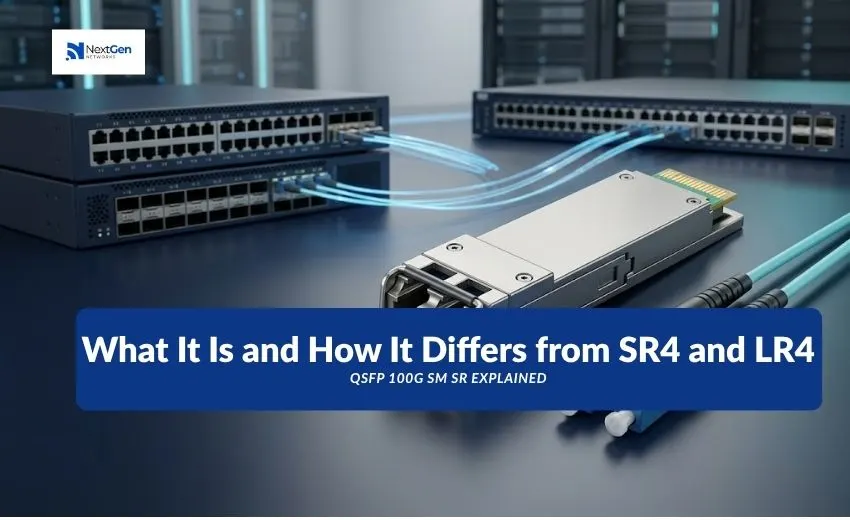
“QSFP 100G SM SR” is Cisco’s part number QSFP-100G-SM-SR: a 100G QSFP28 transceiver for duplex single-mode fiber that reaches up to 2 km. It is technically a “Lite” version of 100G CWDM4. The name looks contradictory, because standard 100GBASE-SR4 runs over multimode fiber, but here “SM” means single-mode and “SR” means short reach compared with Cisco’s 10 km single-mode modules. It is not an IEEE standard designation.
If you are matching this part to a switch, a bill of materials or a failed module, the practical questions are what fiber it needs, whether CWDM4-S can replace it, and what the “Lite” label changes. This guide answers those.
What Is a 100G QSFP28 Transceiver?
A QSFP28 module delivers 100 Gigabit Ethernet in a hot-pluggable QSFP form factor, typically using four 25G lanes. The lanes are carried either on parallel fibers (SR4 over multimode, PSM4 over single-mode) or combined onto one fiber pair using wavelength multiplexing (CWDM4, LR4). Which approach a module uses determines the fiber and connector you need.
What Do SM, SR and LR Mean?
- SM means single-mode fiber.
- SR in IEEE naming means short reach over multimode fiber, as in 100GBASE-SR4.
- LR means long reach over single-mode fiber, typically 10 km.
Cisco’s QSFP-100G-SM-SR uses “SR” in a looser, vendor-specific sense: the shortest-reach module in its single-mode range. That is why the same two letters appear on both multimode and single-mode products. Always read the full part number and the fiber type, not the letters alone.
Is QSFP 100G SM SR a Standard Product Specification?
Not an IEEE one. It is a Cisco part number. Technically it is a CWDM4 module (four wavelengths near 1271, 1291, 1311 and 1331 nm over a duplex pair) that Cisco calls “CWDM4 Lite”. According to Cisco’s ordering guide, the differences from QSFP-100G-CWDM4-S are:
- Narrower operating temperature range: 10 to 60 °C, instead of the standard 0 to 70 °C.
- Tighter optical loss budget. Cisco’s current data sheet lists 3.5 dB. An older Cisco-hosted ordering guide cites 4.2 dB against the 5.0 dB in the CWDM4 specification. Use the current data sheet for link design.
Cisco states that SM-SR is interoperable with QSFP-100G-CWDM4-S, so the two can sit at opposite ends of one link.
Key Specifications: QSFP-100G-SM-SR
| Parameter | Value (per Cisco) |
| Form factor | QSFP28 |
| Data rate | 100G (4 x 25G lanes) |
| Fiber | Duplex single-mode, G.652 |
| Wavelengths | 1271, 1291, 1311, 1331 nm |
| Reach | Up to 2 km |
| Connector | Duplex LC |
| Operating temperature | 10 to 60 °C |
| Loss budget | 3.5 dB (current data sheet) |
SM-SR vs SR4, CWDM4-S, LR4 and Other Options
| Cisco module | Fiber | Reach | Connector | Notes |
| QSFP-100G-SR4-S | Parallel multimode | 70 m OM3 / 100 m OM4 | MPO-12 | The standard multimode option |
| QSFP-100G-SR-S (SR1) | Multimode | 100 m OM4 | LC | Duplex multimode |
| QSFP-100G-SM-SR | Duplex single-mode | 2 km | LC | CWDM4 Lite, 10 to 60 °C |
| QSFP-100G-CWDM4-S | Duplex single-mode | 2 km | LC | Standard temperature range |
| QSFP-100G-LR4-S | Duplex single-mode | 10 km | LC | IEEE 100GBASE-LR4, no FEC |
| QSFP-100G-LR-S (LR1) | Duplex single-mode | 10 km | LC | Single-wavelength LR |
| QSFP-100G-ER4L-S | Duplex single-mode | 25 to 40 km | LC | 40 km with FEC; 30 km without |
Cisco’s portfolio also includes PSM4, DR and FR variants. Check the data sheet for those before specifying them.
Fiber, Connector and Compatibility Requirements
Fiber. SM-SR needs single-mode fiber. Multimode fiber will not work. If your plant is multimode, you need an SR4-S or SR1-type module instead, or a different cabling plan.
Connector. Duplex LC. There is no MPO or breakout cable involved, unlike SR4.
Both ends. Pair it with another SM-SR or with a CWDM4-S. Do not pair it with an LR4 or SR4 module.
Switch support. Cisco publishes an optics-to-device compatibility matrix (tmgmatrix.cisco.com). Confirm the part number against your exact switch model and software release before ordering.
Temperature. The 10 to 60 °C rating is narrower than standard modules. Check the module operating conditions in your switch’s environment, not only the room temperature.
Where It Fits in Enterprise Networks and Data Centers
SM-SR suits links of up to 2 km on single-mode fiber: between halls in a data center campus, between buildings, or across a large facility. It overlaps with CWDM4-S, so in practice it appears where a switch or bill of materials specifically calls for it. If a link is under 100 m and runs on multimode fiber, SR4-S is usually simpler. Beyond 2 km, move to LR4-S or LR-S.
How to Choose the Right 100G Transceiver
- Identify the fiber. Multimode points to SR4 or SR1. Single-mode points to CWDM4, SM-SR, LR4 or LR1.
- Measure the distance. Include patch panels and slack.
- Check the loss. Compare the link loss with the module’s budget, and remember connectors and splices reduce it.
- Match the connector. MPO for SR4, duplex LC for the others.
- Check compatibility. Look up the part number against your switch in Cisco’s matrix.
- Confirm the environment. Verify the temperature range suits your installation.
Common Installation and Purchasing Mistakes
- Reading “SR” as multimode and buying SM-SR for a multimode plant.
- Ordering MPO cabling for an LC module.
- Pairing SM-SR with LR4, which does not work.
- Ignoring the 10 to 60 °C limit in a warm rack.
- Assuming a link budget without checking the data sheet.
- Skipping the compatibility check and then troubleshooting an unsupported-transceiver message.
Frequently Asked Questions
What is QSFP-100G-SM-SR? A Cisco 100G QSFP28 module for duplex single-mode fiber, reaching up to 2 km. Cisco describes it as a CWDM4 Lite transceiver.
Is SM-SR single-mode or multimode? Single-mode. “SM” stands for single-mode, and the “SR” here means short reach within Cisco’s single-mode range.
Is it the same as 100GBASE-SR4? No. SR4 is a multimode module using MPO-12 and reaches 70 m on OM3 and 100 m on OM4. SM-SR uses duplex LC over single-mode fiber for up to 2 km.
Can SM-SR work with QSFP-100G-CWDM4-S? Yes. Cisco’s data sheet states SM-SR is interoperable with QSFP-100G-CWDM4-S.
What does “Lite” mean? It refers to the narrower 10 to 60 °C operating range and the lower optical loss budget compared with standard CWDM4.
Can I use SM-SR on a 5 km link? No. Its reach is 2 km. For longer single-mode links, consider the 10 km LR4-S or LR-S.
Will compatible third-party modules work? They can, if coded and tested for your platform. Confirm testing and warranty terms with your supplier.
Next Steps
Start from the part number in your switch documentation, then confirm fiber type, distance, connector and compatibility. NextGen Networks supplies Cisco optical transceivers. Its Cisco page listed 100G QSFP modules such as QSFP-100G-CWDM4-S, QSFP-100G-LR4-S and QSFP-100G-SR4-S in the snapshot we reviewed. Contact the team to discuss your 100G requirements and to ask about availability of the exact part number you need, including SM-SR or an interoperable alternative.