



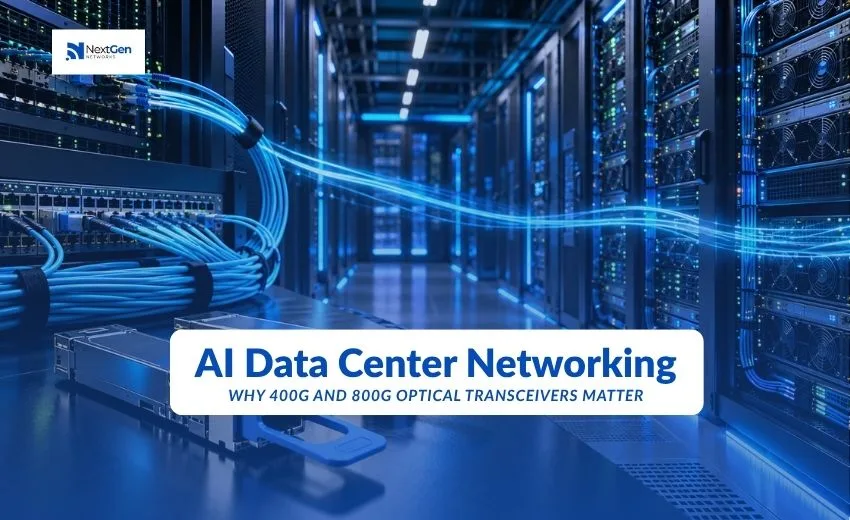
AI clusters move far more data between servers than conventional enterprise workloads do, and the network decides how much of your GPU investment turns into useful work. That is why 400G and 800G optical transceivers have become central to AI data center networking: they set how much bandwidth each switch and server port can carry, how many links a fabric needs, and how far apart equipment can sit.
In short, 400G optical transceivers remain the practical standard for most data center fabrics, while 800G optical transceivers are being adopted where GPU-to-GPU traffic is the main design constraint. Neither is universally better. This guide explains what each does, how they differ, and what to check before you buy.
What Is AI Data Center Networking?
AI data center networking is the network design that connects GPU servers, storage and switches so that large training and inference jobs can run across many machines at once. It uses the same Ethernet or InfiniBand building blocks as other data centers, but the traffic pattern and the tolerance for delay are different.
Two networks are often built side by side:
- Back-end (compute) network. Connects GPUs to each other so they can exchange results during training. This is the most bandwidth-hungry part and where the fastest optics usually go first.
- Front-end network. Connects servers to storage, management systems and users. It resembles a conventional data center network and often runs at lower speeds.
Keeping them separate lets teams spend on high-speed optical interconnects only where the workload needs them.
Why AI and GPU Workloads Need More Bandwidth
Training a large model splits the work across many GPUs. After each step, the GPUs must share their results before the next step can begin. That exchange happens constantly and in bursts, and the job moves only as fast as its slowest link.
Three effects follow:
- East-west traffic dominates. Most data travels between servers inside the facility, not in and out of it.
- Delays compound. One congested or lossy link can hold up every GPU in the job, which leaves expensive accelerators idle.
- Server connections are fast. Many AI servers give each GPU its own network interface, so a single server can need a lot of aggregate bandwidth.
Higher per-port speeds mean fewer links are needed to carry the same traffic, which simplifies cabling and switching. This is a general design principle. The exact numbers depend on your cluster and your vendor’s reference design.
What Are 400G and 800G Optical Transceivers?
An optical transceiver is a pluggable module that converts electrical signals from a switch or network card into light for fiber, and back again. The number in the name is the data rate per port.
400G Optical Transceivers
A 400G optical transceiver delivers 400 Gb/s per port. Implementations differ in how they build that rate, for example eight lanes at 50G or four lanes at 100G, and in the fiber they use. The IEEE 802.3bs standard, approved in December 2017, introduced 400 Gigabit Ethernet, and later amendments added more physical-layer options.
The module’s lane structure and connector decide what it can connect to:
- Cisco’s QDD-400G-DR4-S is a single-mode module for up to 500 m over parallel fiber with an MPO-12 connector.
- Cisco’s QDD-400G-FR4-S reaches up to 2 km over a duplex LC connection.
- Finisar’s FTCD8613E1PCM is a 400G QSFP-DD SR8 module for multimode fiber, rated for 70 m on OM3 and 100 m on OM4, with an MPO-16 APC connector.
These are manufacturer-specific examples, so confirm figures against the datasheet of the exact part you plan to buy.
800G Optical Transceivers
An 800G optical transceiver delivers 800 Gb/s per port. The IEEE 802.3df standard, approved in February 2024, defines 800 Gigabit Ethernet using eight lanes at 100G each. It also supports splitting a port into lower rates, such as 2x400G, 4x200G or 8x100G.
Cisco’s OSFP-800G-DR8 is one example. Cisco’s datasheet describes it as an 800GBASE-DR8 module for single-mode fiber up to 500 m using dual MPO-12 APC connectors, with breakout to 2x400G, 4x200G or 8x100G, and positions it for AI front-end and back-end networks.
400G vs 800G: How They Compare
| Factor | 400G optical transceiver | 800G optical transceiver |
| Standard | IEEE 802.3bs (2017) and later amendments | IEEE 802.3df (2024) |
| Common lane structure | 8 x 50G or 4 x 100G, depending on type | 8 x 100G |
| Typical form factors | QSFP-DD, OSFP | OSFP, QSFP-DD800 |
| Parallel single-mode reach | 500 m for DR4-class modules | 500 m for DR8-class modules |
| Duplex single-mode options | Available (for example FR4 at 2 km) | Varies by module; check the datasheet |
| Multimode short reach | Roughly 70 to 100 m for SR8-class modules | Targeted at up to 100 m on OM4 for SR8-class modules |
| Breakout | Depends on module (for example 4x100G or 2x200G) | Depends on module (for example 2x400G) |
| Power draw | Varies by module type | Generally higher than 400G; varies by module |
| Maturity | Widely deployed | Newer, ramping in AI-focused builds |
Specifications vary by transceiver type and manufacturer. Treat this table as a guide to the questions to ask, not as a replacement for datasheets.
The Role of Optical Transceivers in AI Data Centers
Optical interconnects carry traffic between switches, between switch tiers and, in many designs, from servers to switches. The transceiver is the point where your speed, reach and fiber choices become concrete.
Choosing between optics and short copper cables
For very short connections, direct-attach cables can cost less than a pair of transceivers. As signaling speeds rise, passive copper reach shrinks, so optics or active cables take over beyond short in-rack runs. Check the supported reach for the specific speed and cable type with your vendor.
Breakout flexibility
Breakout lets one high-speed port connect to several slower ones. An 800G port that splits into two 400G links is useful when switches run at 800G but server network cards run at 400G. Support depends on the module and the switch, so confirm both before ordering cables.
Standards and management
Modules follow industry specifications for form factor and management, which supports multi-vendor use. Even so, switches check which modules they accept, so a module that meets the standard can still be rejected by a particular platform.
Fiber and Compatibility Considerations
Most failed orders come from mismatches, not faulty parts. Check these before you buy:
- Fiber type. Multimode modules need multimode fiber (OM3, OM4 or better); single-mode modules need single-mode fiber. They are not interchangeable.
- Connector type. Modules use different connectors, including MPO-12, MPO-16 and duplex LC. Some require APC (angled) polish. Verify the connector and polish against the datasheet.
- Reach and fiber grade. Quoted distances depend on fiber grade and link loss. Measure the real run, including patch panels.
- Form factor. QSFP-DD and OSFP are different physical cages. A module only fits the cage it was built for.
- Both ends. The module on each end of a link must be the same type, or a documented interoperable pair.
- Platform support. Check the switch or network card vendor’s compatibility list for the exact part number and software release.
- Cabling plant. MPO polarity and trunk cable type must match the module design.
Deployment Challenges
Power and cooling. Higher-speed modules and the switches that host them draw more power, so verify rack power and airflow before committing to dense high-speed ports.
Lead times and availability. High-speed optics can be hard to source during large buildouts. Plan optics orders alongside the switch and server orders.
Cabling complexity. Parallel fiber designs use more fibers per link, which increases patch panel density and polarity risk.
Mixed speeds. Many clusters run 400G and 800G together. Breakout cables, switch settings and software support all need to align.
Testing and cleanliness. Dirty connectors cause many link problems. Inspect and clean every connector, and test links before putting them into service.
Vendor and platform checks. A part that works on one platform may not be accepted on another, so confirm before bulk purchases.
How to Choose Between 400G and 800G
The right choice depends on your traffic, your equipment and your timeline, not on the headline speed.
Choose 400G when:
- Your switches and server cards run at 400G
- Your workloads are standard enterprise or mixed, with no heavy GPU-to-GPU traffic
- You want the broadest range of module types and the most established supply
- Budget and power are tight
Choose 800G when:
- You are building a new AI back-end network where bandwidth per port is the constraint
- Your switch platform has 800G ports and you want fewer links per fabric
- You plan to break 800G ports into 2x400G to serve existing 400G equipment
Practical examples (illustrative, not vendor sizing):
- A team has 800G switch ports and 400G server cards. An 800G DR8-class module with 2x400G breakout can serve both without extra switch ports, provided the switch supports it.
- A site has duplex single-mode fiber between halls at under 2 km. A duplex-LC 400G module such as FR4 avoids installing parallel MPO cabling.
- An in-row link on existing multimode fiber under 100 m can use an SR8-class 400G module, if the cable plant uses MPO-16 and OM4.
A phased approach works for many teams: deploy switches that support 800G, run 400G optics where equipment is 400G, and move individual links to 800G as servers and workloads need it. Confirm support for this on your platform.
The Future of AI Data Center Optical Networking
Industry roadmaps point to even faster optics. IEEE 802.3df’s work extends toward 1.6T, and vendors have discussed modules with higher lane rates. Co-packaged optics, which places optics next to the switch chip to cut power, is also under development. Timelines, availability and cost for these technologies are still evolving, so treat them as planning considerations rather than near-term purchases.
In Ethernet-based AI networks, the Ultra Ethernet Consortium is working on specifications aimed at AI and HPC traffic. Check current specification and product availability before designing around it.
The practical point is this: buy for the next cycle, not the last one. Choose switch platforms that can take faster modules later, and keep your cabling plant flexible.
Sourcing and Next Steps
If you are planning a 400G or 800G deployment, start by listing your switch and server models, link distances and fiber types, then match them to compatible modules. NextGen Networks supplies optical transceivers from brands including Cisco and Finisar, and can help confirm compatibility for your platform before you order. Ask about availability of the exact part numbers you need.
Internal linking opportunities:
- Optical transceivers
- Cisco optical transceivers
- Finisar optical transceivers
- Aruba transceivers
- SFP and QSFP
Frequently Asked Questions
What is the difference between 400G and 800G optical transceivers? An 800G module carries twice the data of a 400G module on one port. 800G is defined by IEEE 802.3df using eight 100G lanes, while 400G modules use different lane structures depending on type. Reach, connectors and form factor depend on the specific module.
Are 800G optical transceivers replacing 400G? Not across the board. 400G remains widely used, while 800G is being adopted mainly in new AI-focused builds where per-port bandwidth matters most.
Why does AI data center networking need high-speed optical interconnects? GPU clusters exchange large amounts of data between servers, and delays on any link can leave GPUs idle. Faster optical interconnects reduce the number of links needed and help the fabric carry that traffic.
Can an 800G port connect to 400G equipment? Some 800G modules support breakout to 2x400G, and some platforms support it. Confirm support on both the module and the switch.
What fiber do 400G and 800G transceivers need? It depends on the module. Multimode types need multimode fiber such as OM4; single-mode types need single-mode fiber. Check connector type too, since MPO-12, MPO-16 and duplex LC are all used.
What is the difference between QSFP-DD and OSFP? They are different pluggable form factors with different cages. A module fits only the cage it was designed for, so check which your switch uses.
How far can 400G and 800G transceivers reach? It varies. For example, Cisco’s DR4 and DR8 modules are rated to 500 m on single-mode fiber, and its FR4 module to 2 km. Always check the datasheet for the exact part.
Do I need genuine OEM optics for 400G and 800G? Not necessarily, but the module must be compatible with your platform. Confirm testing, coding and warranty with your supplier before ordering.