



Quick answer: Most link problems with a 40G Optical Transceiver come from a short list of causes: dirty or mismatched fiber, unsupported module coding, wrong cable polarity, excess distance, and overheating. Checking these in order, starting with the physical layer, resolves most faults without replacing hardware.
A 40G QSFP+ link that stays down or drops packets can stall a rack or a whole uplink. This guide explains the most common faults, how to recognize them, and a practical order of checks.
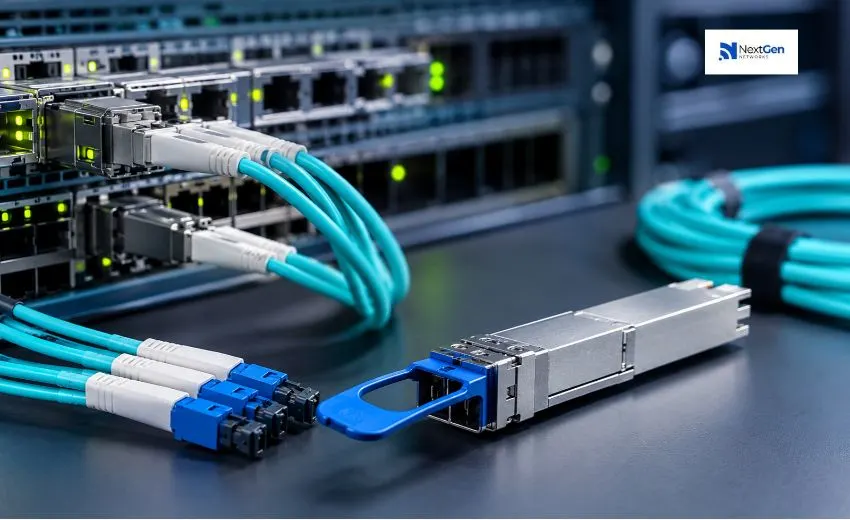
What Is a 40G Optical Transceiver?
A 40G QSFP+ module is a hot-pluggable device that converts electrical signals from a switch or server into optical signals (or passes them over copper in the case of DAC cables). It combines four 10G lanes. Common variants include SR4 (multimode, MPO), LR4 (single-mode, duplex LC), and DAC (short copper runs). Exact reach and specifications vary by manufacturer and part number.
Why Is My 40G Link Down?
A link that will not come up is usually caused by one of the following:
- Fiber type mismatch: A multimode module connected to single-mode fiber, or the reverse, will not establish a link.
- Wrong connector or polarity: SR4 modules use MPO connectors, and incorrect polarity or a mismatched trunk can leave lanes unconnected.
- Module not recognized: The switch may reject a module whose coding or firmware support does not match the platform.
- Mismatched ends: Both ends must use the same optical standard. An SR4 module will not link with an LR4 module.
What to do: Confirm the module type at both ends, verify the fiber grade and connector, check the switch’s supported-module list, and review the interface status and logs for “unsupported” or “not present” messages.
What Causes High Error Rates or Link Flapping?
If the link comes up but shows CRC errors, drops, or repeated up/down events, the signal is likely marginal.
- Dirty connectors. Dust or oil on a fiber end-face is one of the most frequent causes of weak optical signal. Inspect and clean connectors with proper tools before reseating.
- Damaged or tight-bend fiber. Excessive bending or crushed cable raises loss.
- Excess distance or too many connections. Each patch panel and splice adds loss. If the total exceeds the module’s link budget, errors rise.
- Aging or faulty module. A module with degraded output can show falling transmit power over time.
What to do: Read the module’s digital diagnostics (DDM/DOM) through the switch CLI and compare transmit and receive power against the datasheet limits. Low receive power points to cabling or distance. Low transmit power points to the module.
Why Does the Switch Say the Module Is Unsupported?
Many switches check module identification data. A module that works in one platform or software version may be refused in another. Compatibility depends on the switch model, operating system release, and the module’s coding. Before deployment, confirm compatibility for your exact hardware and software, and check release notes after upgrades.
How Do I Fix Overheating Problems?
High temperature can cause intermittent errors or automatic shutdown. Check the temperature reading in the diagnostics, confirm that airflow is not blocked, and make sure adjacent ports and line cards are within the switch’s thermal limits.
What About DAC Cable Issues?
Direct attach copper cables have fixed ends and limited length, typically a few meters. Common faults include exceeding the supported length, a damaged cable, and cable-to-port incompatibility. Because DAC cables cannot be cleaned or re-terminated, replacement is usually the quickest fix. If a cable fails in one port but works in another, investigate the port or configuration.
What Is a Practical Troubleshooting Order?
- Check that the module and cable type are correct at both ends.
- Inspect and clean all optical connectors.
- Verify fiber grade, polarity, and total distance.
- Review DOM/DDM readings and interface counters.
- Swap the module or cable with a known working one to isolate the fault.
- Confirm platform support and software version.
- Check configuration, including any breakout settings.
Changing one variable at a time keeps the result clear.
When Should You Involve a Supplier?
If swapping modules and cables does not isolate the problem, or you need to verify compatibility across a mixed-vendor network, a supplier with technical knowledge can save time. NextGen Networks supplies optical transceivers, DAC/AOC cables, and fiber patch cords, along with networking hardware from brands including Cisco, Finisar, Arista, and Juniper. Sharing your switch models, software versions, and fiber details helps narrow down the right replacement quickly. Availability and compatibility vary by part number and platform.
Conclusion
Most 40G faults trace back to fiber, connectors, compatibility, distance, or heat. Work through them in a fixed order and use diagnostic readings to guide your decisions.
For help choosing compatible modules or replacements, contact NextGen Networks at sales@nextgennetworks.in or +91-9650398500, or use the Contact Us page.