



As AI training clusters and high-performance computing (HPC) environments grow, the network adapter inside each server decides how quickly data reaches the GPU. NVIDIA ConnectX-7 and ConnectX-8 are two generations of adapters built for this job. Both come from the Mellanox lineage that NVIDIA brought into its networking portfolio, but they target different speed and host-interface levels. This guide explains what each adapter offers, where they differ, and what to plan for in cabling and optics.
What Is NVIDIA ConnectX-7?
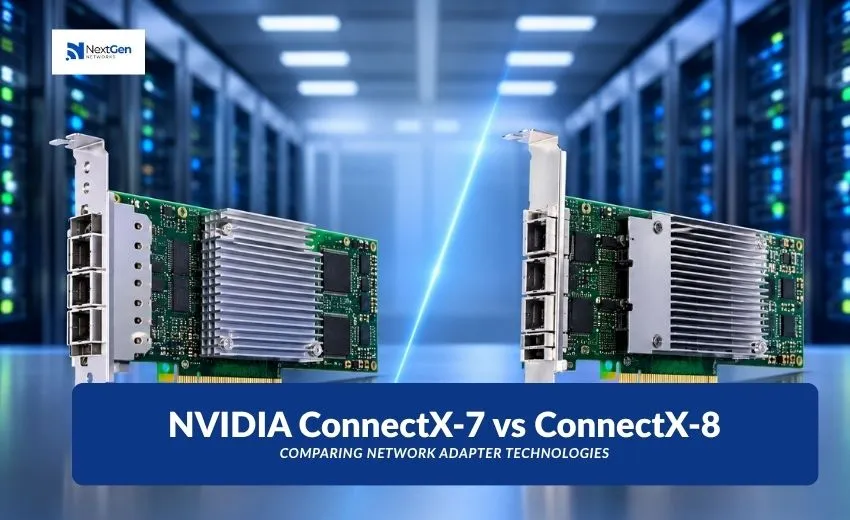
ConnectX-7 is built for 400Gb/s networking. It is offered for both InfiniBand (NDR) and Ethernet, so the same adapter family can serve AI fabrics and general data center networks. It connects to the server over a PCIe Gen5 interface.
Key capabilities include:
- RDMA and RoCE: Moves data between servers with low latency and low CPU involvement.
- GPUDirect RDMA: Lets data travel between the network and GPU memory without extra copies through system memory.
- In-network computing: Offloads selected communication tasks from the host.
- Hardware offloads and security: Support for storage, virtualization and inline encryption.
ConnectX-7 cards come in single-port and dual-port variants, with OSFP or QSFP112 cages depending on the model. Confirm the exact part number against NVIDIA’s datasheet.
What Is NVIDIA ConnectX-8?
ConnectX-8 is the next step, designed for 800Gb/s networking. It supports XDR InfiniBand and 800G Ethernet, and it moves to a PCIe Gen6 host interface. NVIDIA positions it as a SuperNIC for large AI clusters, working with its latest InfiniBand and Spectrum-X Ethernet switching platforms.
One notable design point is the integrated PCIe switch, which lets the adapter connect to GPUs and other devices more directly inside the server. At these speeds, each Nvidia Mellanox optical transceiver or cable on the link must also be rated for the higher rate.
ConnectX-7 vs ConnectX-8: Side-by-Side Comparison
| Feature | ConnectX-7 | ConnectX-8 |
| Maximum speed | Up to 400Gb/s | Up to 800Gb/s |
| InfiniBand | NDR | XDR |
| Ethernet | Up to 400GbE | Up to 800GbE |
| Host interface | PCIe Gen5 | PCIe Gen6 |
| Typical fit | Current 400G AI and HPC fabrics | Next-generation 800G AI clusters |
Why the PCIe Generation Matters
The adapter can only move data as fast as the server bus allows. A PCIe Gen5 x16 slot offers roughly 500Gb/s per direction, which comfortably supports a 400G port. An 800G port needs more host bandwidth than Gen5 x16 can provide, which is why ConnectX-8 pairs with PCIe Gen6.
The adapter is only part of the decision. Your server must support the interface the adapter expects, or you will not reach the rated speed.
Don’t Forget the Optics and Cabling
A network adapter is only one end of the link. Every connection also needs a compatible module or cable, plus a matching switch port on the other side. Speed, form factor (such as OSFP or QSFP112), reach and fiber type all need to line up.
This is where many deployments hit delays. Choosing the right Nvidia Mellanox optical transceiver means matching the module to the adapter port, the switch port and the distance between racks. A short link inside a rack may suit a direct attach cable, while longer runs across a data hall usually need optical modules over fiber.
Nextgen Networks supplies optical transceivers and networking components for data center and enterprise environments, and its team can help you check compatibility before you order.
Which Adapter Should You Choose?
ConnectX-7 may suit you if:
- Your fabric and switches are built around 400G today.
- Your servers use PCIe Gen5 platforms.
ConnectX-8 may suit you if:
- You are planning a new AI cluster with 800G in mind.
- Your server platforms support PCIe Gen6.
- You want headroom for growth as model sizes and data volumes increase.
In mixed environments, a link runs at the speed its weakest component supports.
A Quick Planning Checklist
Before you buy, work through these points:
- Match the speed: Confirm adapter, switch and module all support the same rate.
- Check the form factor: Verify the port type, such as OSFP or QSFP112.
- Confirm the host slot: Make sure the server provides the right PCIe generation and lane count.
- Define the distance: Pick the module type based on actual link length.
- Verify compatibility: Every Nvidia Mellanox optical transceiver should be confirmed against the adapter and switch firmware and vendor guidance.
Final Thoughts
ConnectX-7 and ConnectX-8 serve different stages of network growth. ConnectX-7 fits the 400G fabrics many data centers run now, while ConnectX-8 prepares for 800G and PCIe Gen6 systems. The right choice depends on your servers, your switches and your growth plans.
Whichever generation you pick, the link only performs as well as its weakest part, so give the optics the same attention as the adapter. A well-matched Nvidia Mellanox optical transceiver helps your investment in high-speed adapters deliver the performance you expect.
Planning an adapter or optics upgrade? Contact Nextgen Networks to discuss your requirements and confirm compatibility.