



You plug in a new 10G SFP module, expect the link light to turn green, and nothing happens. The switch shows an “unsupported transceiver” message, or the port stays down. It is a common problem in data centers, offices and server rooms, and in most cases it can be fixed without replacing any hardware.
This guide walks through seven practical checks, starting with the simplest. Work through them in order and you will usually find the cause quickly.
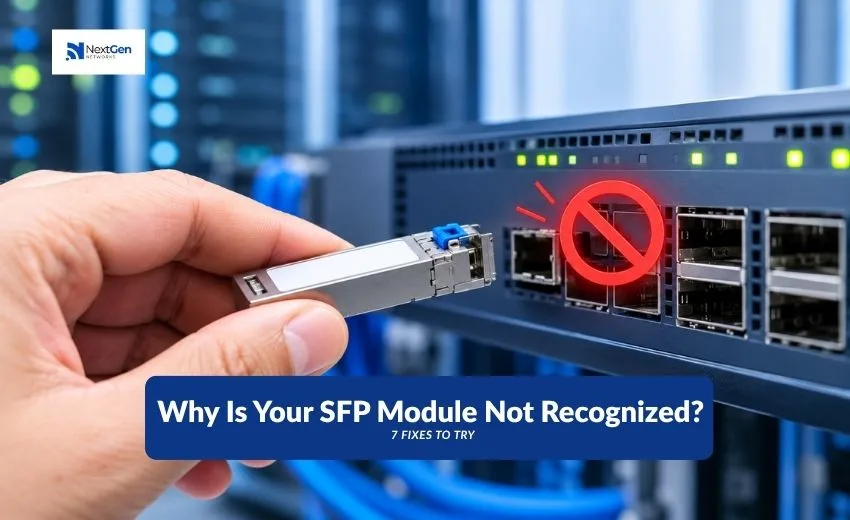
Why Does a Switch Fail to Recognize an SFP Module?
When you insert a transceiver, the switch reads a small chip inside it. This chip stores the module’s vendor name, part number, speed and supported distance. If the switch cannot read that information, or does not accept it, the port will not come up.
The cause is usually one of these:
- The module is not seated properly
- The port does not support the module’s speed
- The switch software blocks modules from other vendors
- The fiber, connector or wavelength does not match
- The module itself is faulty
Each fix below targets one of these causes.
Fix 1: Reseat the Module
It sounds basic, but a half-inserted module is one of the most frequent causes. Remove the 10G SFP module, wait a few seconds, then push it in firmly until it clicks into place. Check that the latch is closed.
While you are there, look at the port for dust or bent contacts. Also make sure the module is the right way up before inserting it.
Fix 2: Check That the Port Supports 10G
Many switches have a mix of ports. Some are SFP ports that support only 1G, and others are SFP+ ports that support 10G. A 10G SFP module placed in a 1G-only port may not be detected, or the link may not come up.
Look at the port label on the switch, or check the product datasheet. Some switches also share bandwidth between ports or disable certain ports when others are in use, so read the port notes carefully.
Fix 3: Confirm Vendor Compatibility
This is the most common reason a module is “not recognized” even though it is physically fine. Some switch brands check the coding inside the transceiver and reject modules that do not match their approved list.
If you see an “unsupported” or “invalid transceiver” message, check whether the module is coded for your switch brand. Companies such as Nextgen Networks supply optical modules for a range of network brands, so it helps to share your switch model and software version when asking for a compatible part. Some switches also have a setting that allows third-party modules. Check your vendor’s documentation first, since policies differ between brands.
Fix 4: Match the Fiber Type and Wavelength
Even a recognized module will not link if the fiber is wrong. Check these points:
| What to check | Why it matters |
| Multimode vs single-mode fiber | SR modules are made for multimode fiber, while LR modules are made for single-mode fiber |
| Same module type at both ends | An SR module cannot link with an LR module |
| Cable distance | Each module type has a maximum reach, so long runs may fail |
| Connector type | LC connectors are standard, but confirm your patch cables match |
| Transmit and receive pairing | A swapped fiber pair can stop the link |
If the link light stays off, try flipping the two fiber strands at one end.
Fix 5: Clean the Fiber Connectors
Dirt on a fiber end face is a leading cause of weak signals and dropped links. Even tiny dust particles can block light.
Use a proper fiber cleaning pen or lint-free wipes made for optical connectors. Do not use your fingers, shirt or ordinary tissue. Clean both the cable ends and, with the right tool, the module’s optical ports. Always put dust caps back on unused connectors.
Fix 6: Update the Switch Software and Check the Logs
Older switch software may not recognize newer modules. Check your vendor’s release notes to see whether an update adds support for your module type.
The switch logs can also give you a direct clue. Most switches have a command to show transceiver details, such as the part number, speed and signal levels. If the switch shows no information at all, the module may not be communicating. If it shows low receive power, the problem is more likely the fiber or the connectors. The exact commands differ by brand, so use your vendor’s guide.
Fix 7: Test With a Known-Good Module
If nothing so far has worked, isolate the problem by swapping parts:
- Put the module in a different port that you know works.
- Put a module that you know works into the original port.
- Try the module in a different switch, if you have one.
If the module fails everywhere, it is probably faulty. If a different module also fails in the original port, the port or switch settings are the likely cause. Testing this way saves time and avoids returning a good part.
Quick Troubleshooting Checklist
- Module fully seated and latched
- Port supports 10G (SFP+)
- Module compatible with your switch brand
- Correct fiber type and matching modules at both ends
- Connectors cleaned and dust caps removed
- Switch software up to date
- Module tested in another port or device
Prevent the Problem Next Time
A few habits make future installs smoother. Confirm your switch model and port type before you order. Keep a record of module part numbers used across your network. Store spare optics in anti-static bags with dust caps on. And when you buy, choose a supplier who can confirm compatibility with your equipment before the order ships.
Need Help Choosing a Compatible Module?
If you have worked through these steps and still have a problem, or you are planning a new deployment, the team at Nextgen Networks can help you match the right 10G SFP module to your switch and cabling. Share your equipment details and your link distance, and they can guide you toward a suitable option. A little preparation up front means fewer failed installs and less downtime.
FAQs: Why Is Your SFP Module Not Recognized?
1. Why is my SFP module not detected by my switch?
The most common reasons are a loose connection, a port that does not support the module’s speed, or a switch that does not accept modules from other brands. Reseat the module first, then check the port type and compatibility.
2. Can I use a 10G module in a 1G SFP port?
Usually not. Many 1G ports cannot support 10G speeds, so the module may not be detected or the link may stay down. Look for an SFP+ port, which is built for 10G, and check your switch datasheet to be sure.
3. What does “unsupported transceiver” mean?
It means the switch has read the module but does not accept it, most often because the module’s coding does not match the switch brand. Use a module that is coded for your switch, or check your vendor’s documentation for settings that allow third-party modules.
4. Do SFP modules have to match the switch brand?
Not always, but some switches only accept modules from an approved list. Before buying, share your switch model and software version with the supplier so they can confirm compatibility.
5. Why is the link light off even though the module is recognized?
The problem is likely the fiber, not the module. Check that you are using the right fiber type (multimode or single-mode), that both ends use the same module type, and that the fiber pair is not swapped. Dirty connectors can also stop the link.
6. How do I clean fiber connectors the right way?
Use a fiber cleaning pen or lint-free wipes made for optical connectors. Do not use your fingers or ordinary tissue. Always put dust caps back on any connector you are not using.
7. Can a software update fix an unrecognized SFP module?
Sometimes. Older switch software may not recognize newer modules, so check your vendor’s release notes for support updates. The switch logs can also show whether the module is communicating at all.
8. How do I know if the SFP module itself is faulty?
Test it in a different port or a different switch. If it fails everywhere, the module is probably faulty. If another working module also fails in the original port, the port or switch settings are more likely the cause.