



Short answer: Cisco, Juniper and Arista 25G SFP28 modules follow the same IEEE 802.3by standard and deliver 25 Gbps speeds. However, 25G Optical Transceivers differ in switch compatibility, support terms and cost. Choose the module that matches your switch and fiber requirements rather than focusing only on the brand.
If you run servers at 25G, this guide will help you choose with confidence.
Why 25G Is Everywhere Now
Servers moved from 10G to 25G because the jump is big, but the cost is not. SFP28 uses the same small slot as SFP+. That means you can often reuse your cabling layout and upgrade speed without redesigning the rack.
That is why 25G Optical Transceivers show up in so many top-of-rack switches from all three vendors.
What Is an SFP28 Module?
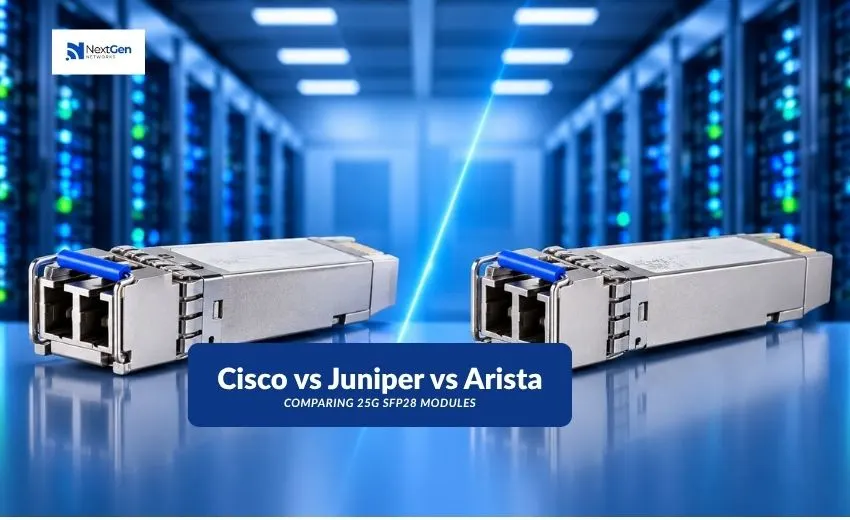
An SFP28 is a small, hot-swappable module that plugs into a switch or network card and turns electrical signals into light (or the other way round). “28” refers to the 28 Gbps lane rate that carries a 25 Gbps payload.
Common types you will see:
- 25GBASE-SR: short reach over multimode fiber, usually inside a data hall
- 25GBASE-LR: longer reach over single-mode fiber, usually between rooms or buildings
- DAC and AOC cables: fixed cables for very short links in the same rack or row
Cisco vs Juniper vs Arista at a Glance
| Point | Cisco | Juniper | Arista |
| Standard followed | IEEE 802.3by | IEEE 802.3by | IEEE 802.3by |
| Common form factor | SFP28 | SFP28 | SFP28 |
| Typical use | Enterprise and campus data centers | Service provider and data center | Cloud and high-density data centers |
| Coding | Vendor-coded | Vendor-coded | Vendor-coded |
| Third-party handling | Varies by platform and software | Varies by platform and software | Varies by platform and software |
The table shows the main point: the technology is shared. The “brand” part is mostly the coding written inside the module.
What Actually Differs?
1. Coding and compatibility
Each module stores a small code that tells the switch who made it. Some switches accept any standard-compliant module. Others show a warning, or need a setting changed before they allow it. The behavior depends on the switch model and software version, so always check your platform’s documentation before ordering.
2. Support and warranty
Buying a module from the same vendor as your switch usually keeps support simple. Third-party modules can also work well, but you should confirm who handles a fault if one appears. Ask for the terms in writing.
3. Cost
Branded modules usually cost more than compatible ones. For a large rollout with dozens of ports, that gap adds up quickly.
4. Lead time
Availability changes from month to month. If a project has a deadline, ask for current stock before you finalize your design.
How to Choose the Right 25G Optical Transceivers
Follow these four steps:
- Check the distance. Short link inside a rack? A DAC may be enough. Across a hall? Look at SR. Between buildings? Look at LR.
- Check the fiber. SR needs multimode fiber. LR needs single-mode. Mixing them is a common mistake.
- Check the switch. Confirm the exact switch model and software version supports the module.
- Check the other end. Both ends of a link should use matching module types.
Our Hands-On Tip for Mixed Networks
Many teams run Cisco in one room and Arista or Juniper in another. This is normal. Because all three follow the same standard, a matching pair of SR modules can link devices from different vendors, as long as each switch accepts the module code. Test one link first, then scale up. This small step avoids surprises during a big rollout.
Where to Get Help Choosing
Choosing among brands is easier when you can compare options in one place. Nextgen Networks supplies 25G Optical Transceivers and other modules for enterprise, data center and service provider networks, and the team can help you match a module to your switch, fiber type and distance. Share your equipment details, and they can point you to suitable options without guesswork. You can browse the range at nextgennetworks.in.
Final Thoughts
Cisco, Juniper and Arista all build on the same open standard, so the performance gap between modules is small when the link is set up correctly. Your choice should come down to compatibility, support and budget. Get those three right, and 25G Optical Transceivers will run quietly in the background, which is exactly what good network gear should do. If you want a second pair of eyes on your plan, Nextgen Networks is ready to help.